
AI Video-to-Video VFX for Professional Production

Element removal, replacement and cleanup at shot scale. Take out what shouldn't be there, put in what should, and hold it across every shot in the sequence.

Relighting

Re-light a shot in minutes instead of reworking and re-rendering the scene.

Change lighting direction, intensity and mood straight from the video, try several setups without touching the original render, and keep shading and depth consistent frame to frame.
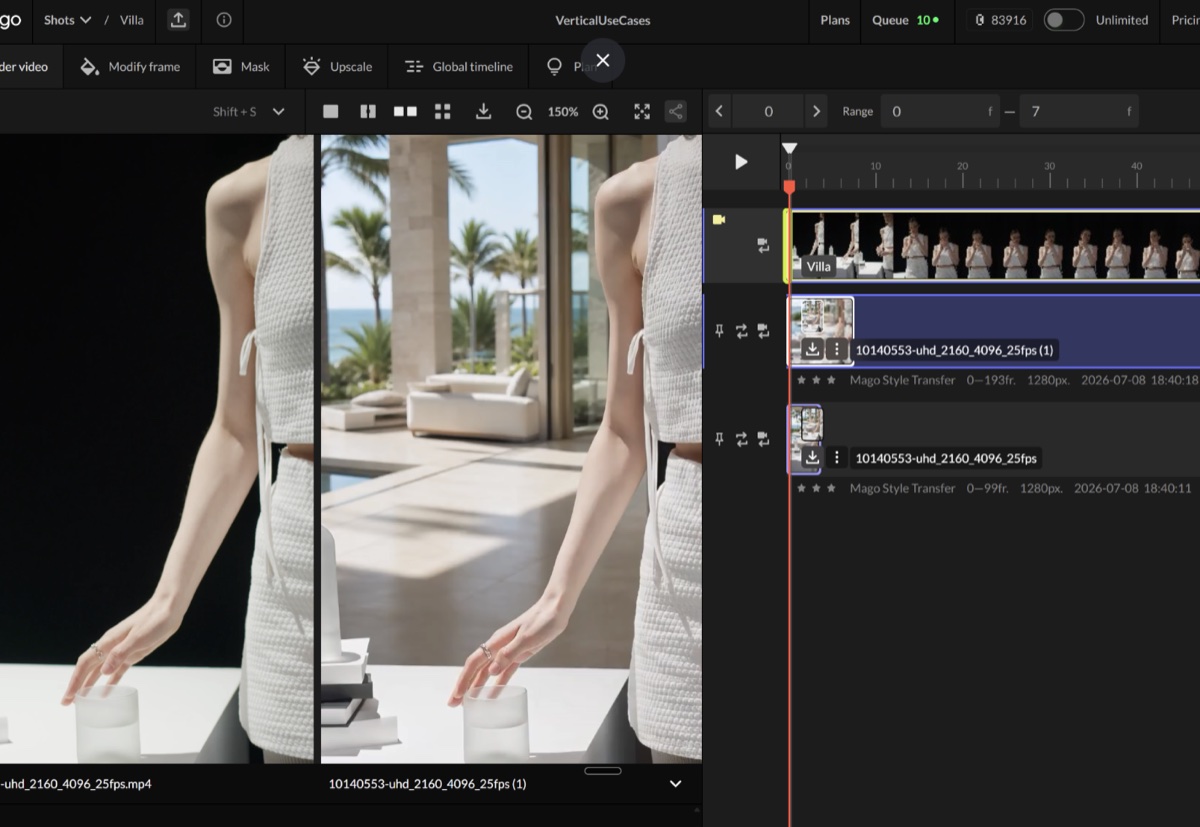
The same shot before and after in Mago, the plain studio backdrop behind the subject replaced with a villa interior

Cleanup and removal

Take out what shouldn't be in the shot.

Mask an element by prompt or by clicking points and Mago works on just that region, across the whole shot rather than frame by frame. Export the mask with the render and composite it back over the original when the untouched areas need to match the source exactly.

Environments and set extension

Turn a background into somewhere else, and keep it there.

Depth- and motion-aware blending holds the merge as the camera moves, so backgrounds become fully stylized environments while the foreground performance, framing and composition stay locked.

Built to hand off

Mago isn't a finishing tool and doesn't pretend to be. Renders come back frame-exact, N frames in and N frames out, and export as PNG sequences, EXR 16-bit or MP4, with masks downloadable separately. Everything arrives in Nuke, After Effects or Fusion the way the rest of your pipeline expects.

Test Mago on a Real VFX Shot

Upload a sequence, iterate freely, and see how AI fits into your existing workflow