Precision editing, frame by frame

Work shot by shot on a timeline and render only the frame range you're testing.

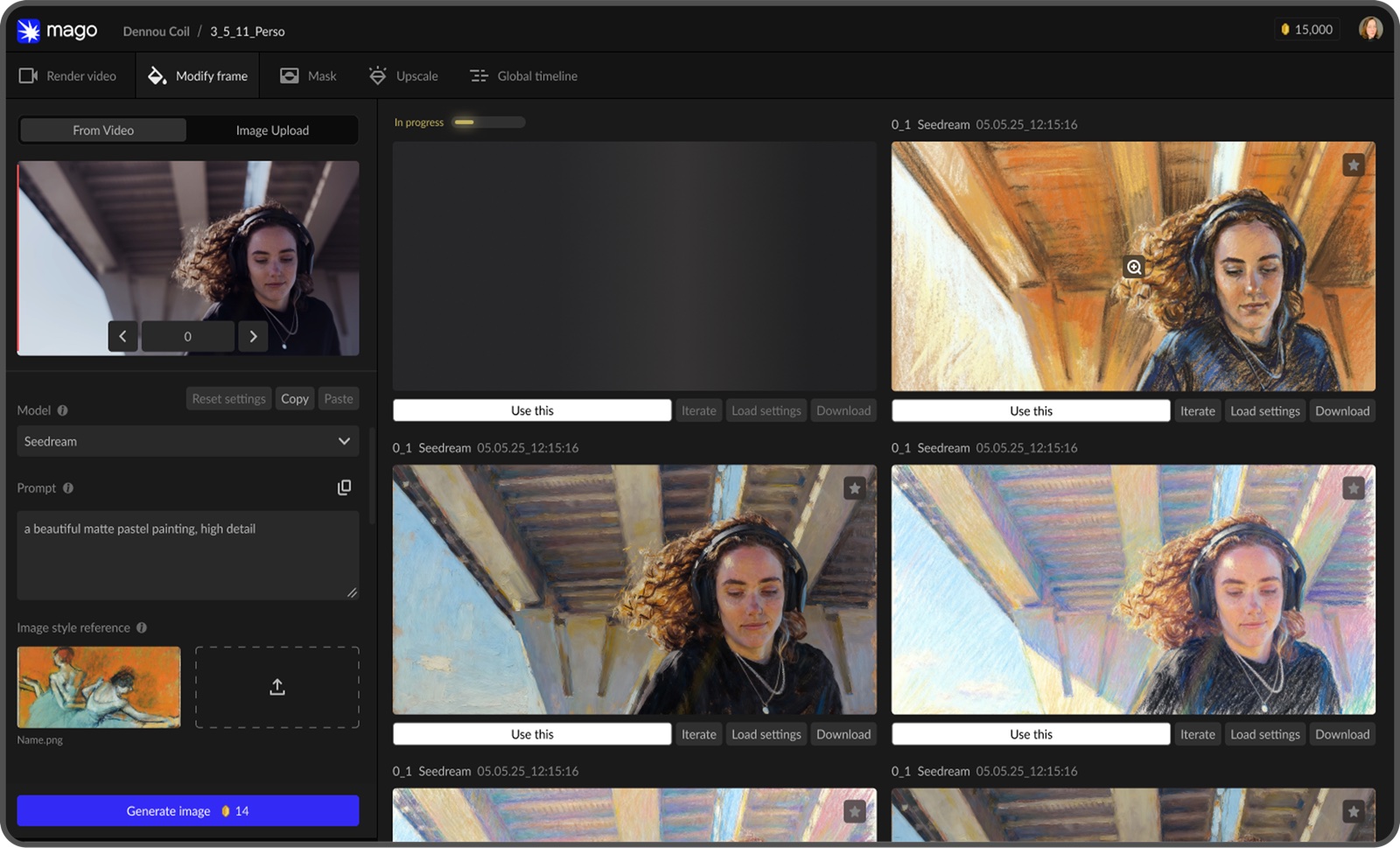
Go finer still and test a look on a single frame first, using image models like Seedream, GPT Image and Nano Banana, then carry it across the shot.

The output is frame-exact: N frames in, N frames out, each one matched to its source frame, so timing, lip sync and continuity survive the render.
Mago's Modify Frame workspace, with one source frame on the left and several pastel-painted versions of it generated alongside

Control at every level of the edit

With Mago Inpaint, describe the part you want to change and it masks it for you, or invert it so that what you describe is what stays. Draw the mask by hand when you'd rather.

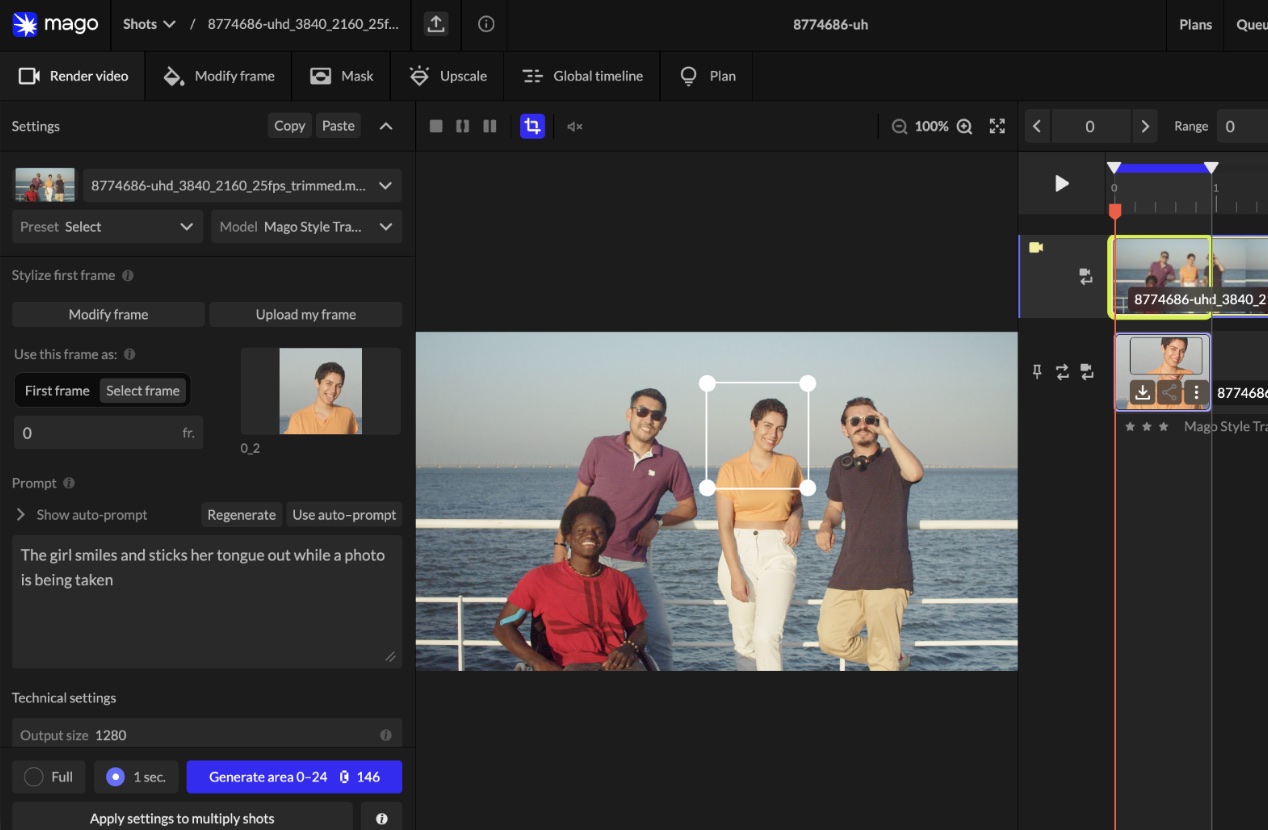
Or, use the bounding box and adjust it around the area you want to change to only render that region, at full resolution, instead of downscaling a whole 4K frame to reach one detail.
A bounding box drawn around one person in a group shot, so only that area is sent to render

See exactly what changed, and why

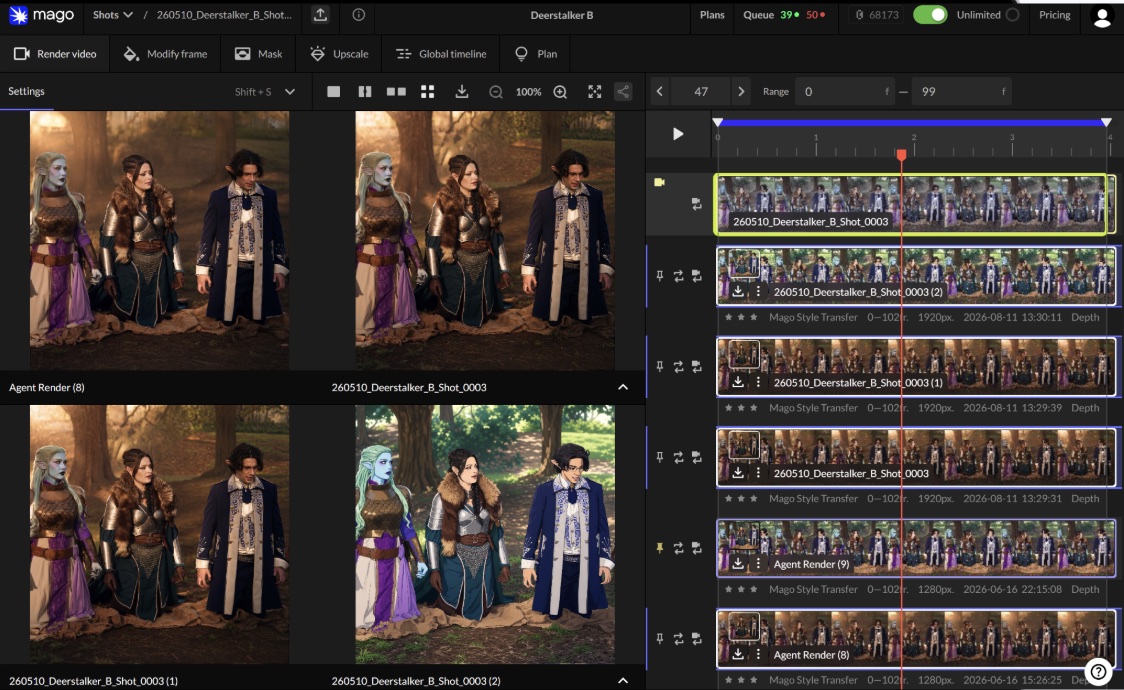
Compare up to four versions at once, side by side or under a slider.

When two differ, Mago shows you which settings changed between them, and when a render goes wrong, what the model was reading from the source.
Four versions of the same shot compared side by side in Mago, with the full version history and its metadata listed down the right

Every version stays

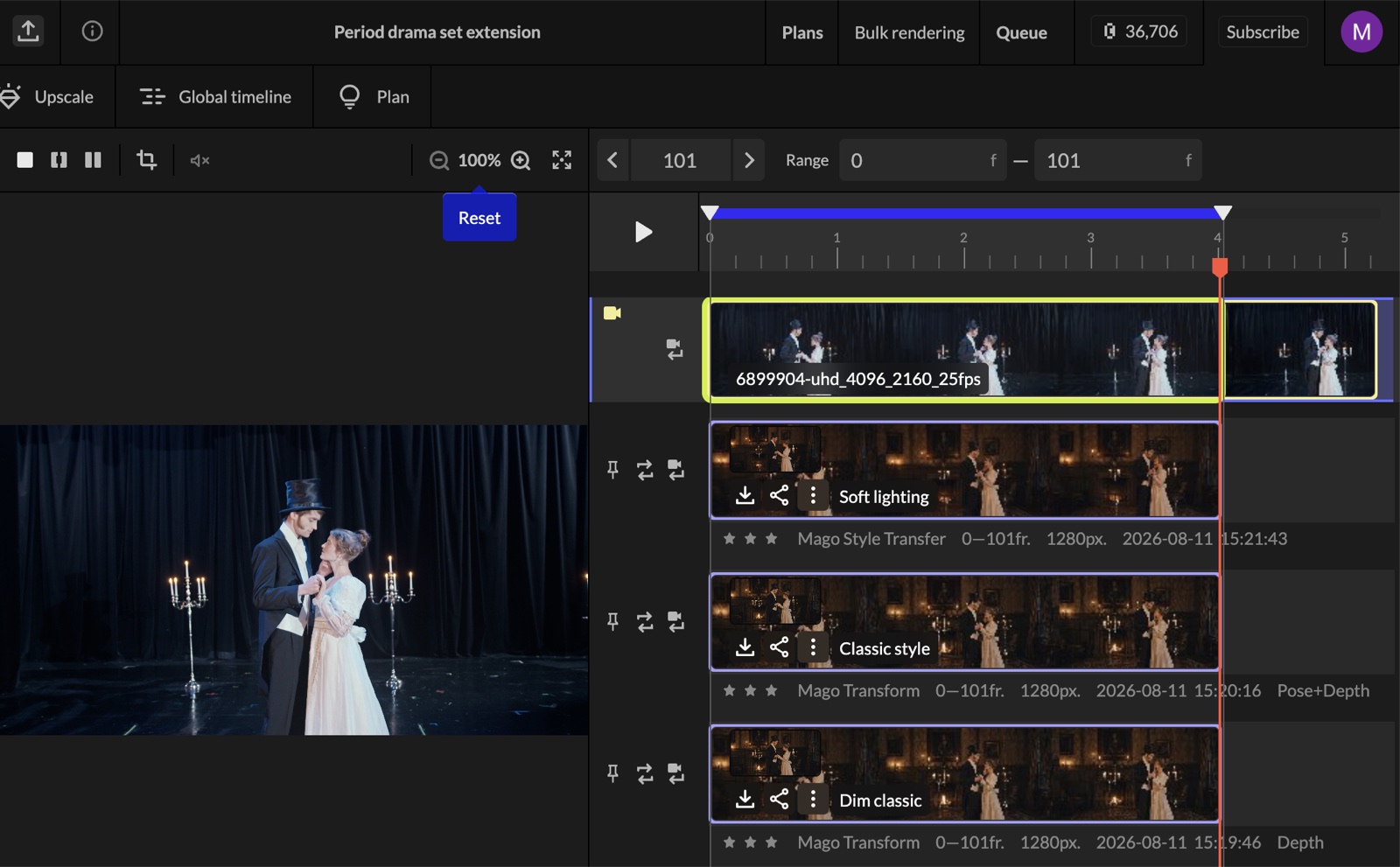
Every render stays as its own version under the shot, so nothing you try is lost.

Reuse the settings from any of them for a small change, or feed a finished render into the next pass: replace a character, restyle, then upscale, one controllable step at a time.
One shot with its source track and three saved versions stacked beneath it, each named, rated and labelled with the model and settings that produced it

Hold one look across hundreds of shots

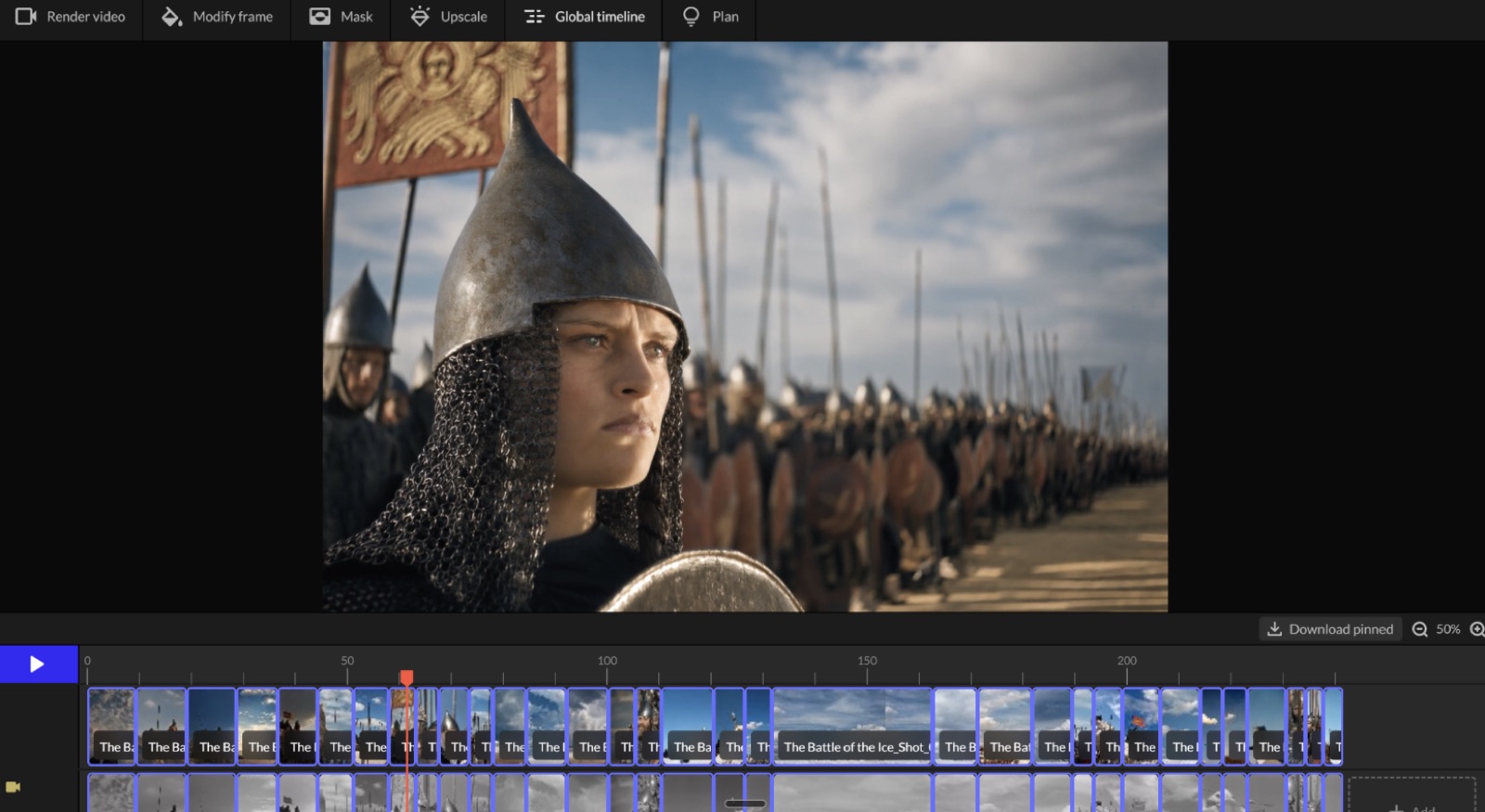
Pin the best render from each shot and the Global Timeline plays them back in order, as a cut.

Catch style drift, a character who stopped matching, or colour that jumps between neighbours, while it's still cheap to fix and long before it reaches your finishing tool.
Mago's global timeline, with a full battle sequence laid out as pinned shots along the bottom of the editor

Our models, and the best of everyone else's

Our own models are built for production: frame-exact, controllable, cheaper per render, and consistent from shot to shot.

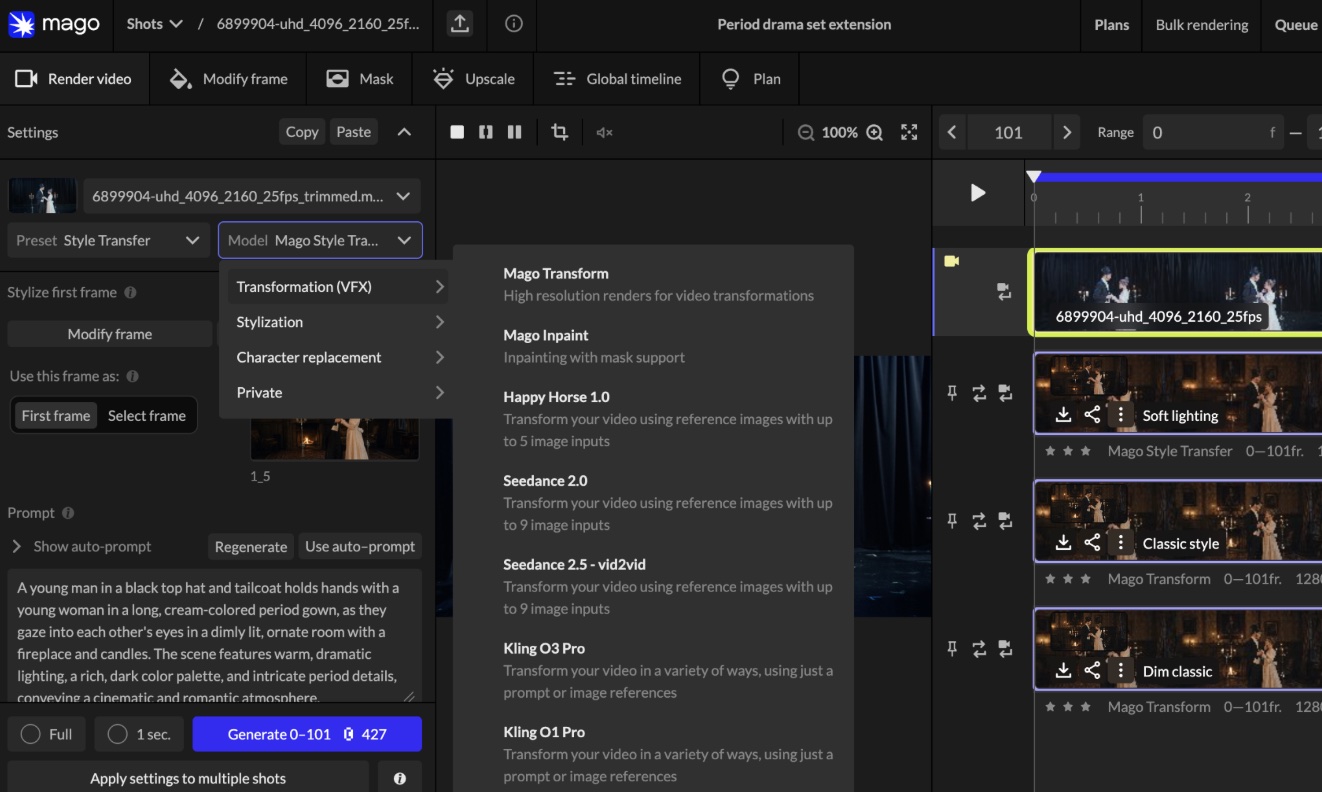
We also provide the best API models in the same panel, including Kling, Seedance 2.5 and Happy Horse.

Mago's model selector open, listing Mago Transform and Mago Inpaint alongside Happy Horse, Seedance and Kling

Frequently
Asked Questions

How does Mago integrate into existing pipelines?

Mago is designed to integrate directly into animation and VFX toolchains. Our engineering team collaborates with your pipeline TDs to ensure compatibility with your file formats, render workflows, and internal infrastructure. API access and technical documentation are provided to support seamless deployment.

Do you offer on-prem or private cloud deployments?

Yes. We support both private cloud and on-premise deployments to meet studio-level security, compliance, and data residency requirements. Deployment architecture is defined during the technical evaluation phase to align with your infrastructure standards.

What does custom model training include?

We fine-tune lightweight models (LoRAs) using your visual references and production material. This ensures character consistency across shots, style and lighting alignment, and cohesive output across sequences or episodes. All models are trained specifically for your production needs.

How do you handle confidentiality and IP protection?

We sign NDAs prior to reviewing any material. All assets are processed within secure, isolated infrastructure environments. We do not train foundation models on your content. You retain full ownership of your inputs and outputs.

Do you offer on-prem or private cloud deployments?

Yes. We support both private cloud and on-premise deployments to meet studio-level security, compliance, and data residency requirements. Deployment architecture is defined during the technical evaluation phase to align with your infrastructure standards.

What does a typical pilot engagement look like?

A structured 4–6 week engagement with defined scope and measurable success criteria. Evaluation typically includes: Visual quality benchmarks, Shot consistency, Turnaround time reduction, Cost comparison versus existing workflows. The objective is to validate production readiness within a real use case.

How is Mago priced for enterprise?

Pricing is volume-based and aligned with production scope. Enterprise engagements are structured based on: Shot volume, Deployment model, Custom model training requirements, Infrastructure configuration. Transparent cost breakdowns are provided during the evaluation process.