
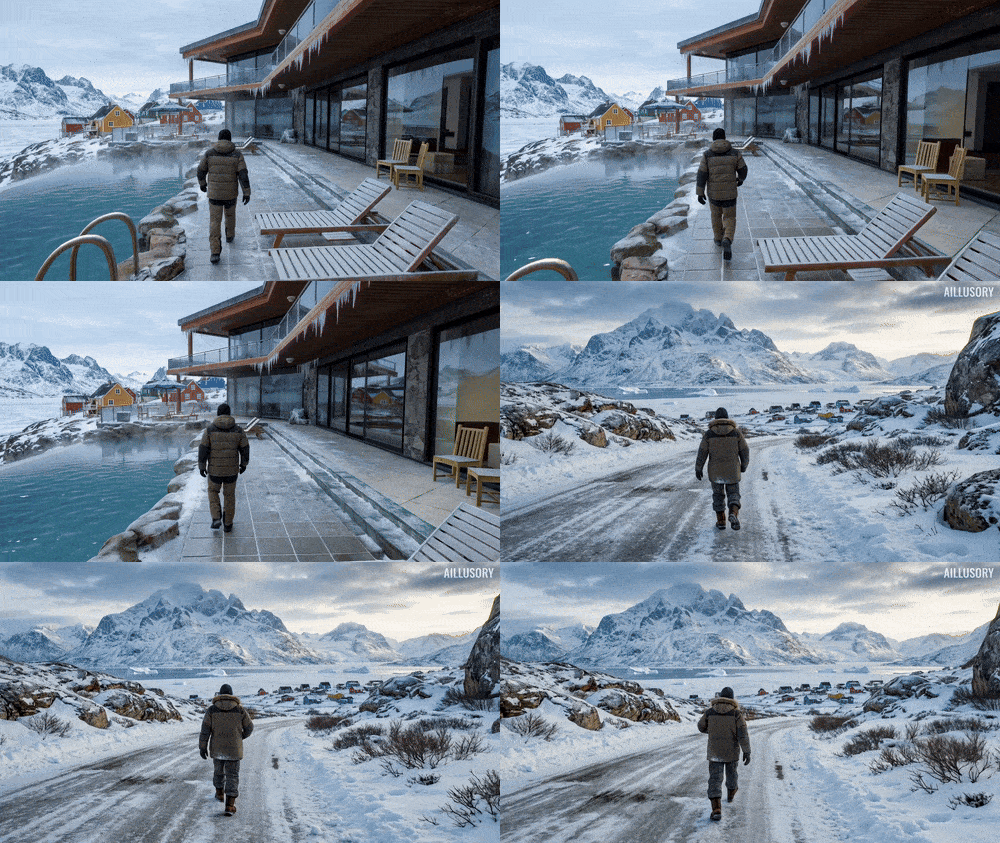

Join Mago now!
Secure a spot on our waitlist.


Are you looking for what’s possible with emerging tools and traditional post-production techniques?
You are on the right article.
Let's analyze Ľudovít Nastišin’s viral breakdown, where he transforms a standard Google Earth Studio animation of the Eiffel Tower into a cinematic King Kong-style destruction scene with help from Mago Studio and Adobe After Effects.
This blog post unpacks his workflow step by step: perfect for VFX artists, motion designers, and creative technologists looking to integrate AI into their professional pipelines. We’ll detail how these tools work together to generate movie-quality visuals, and why this method represents a new frontier for AI VFX workflows.
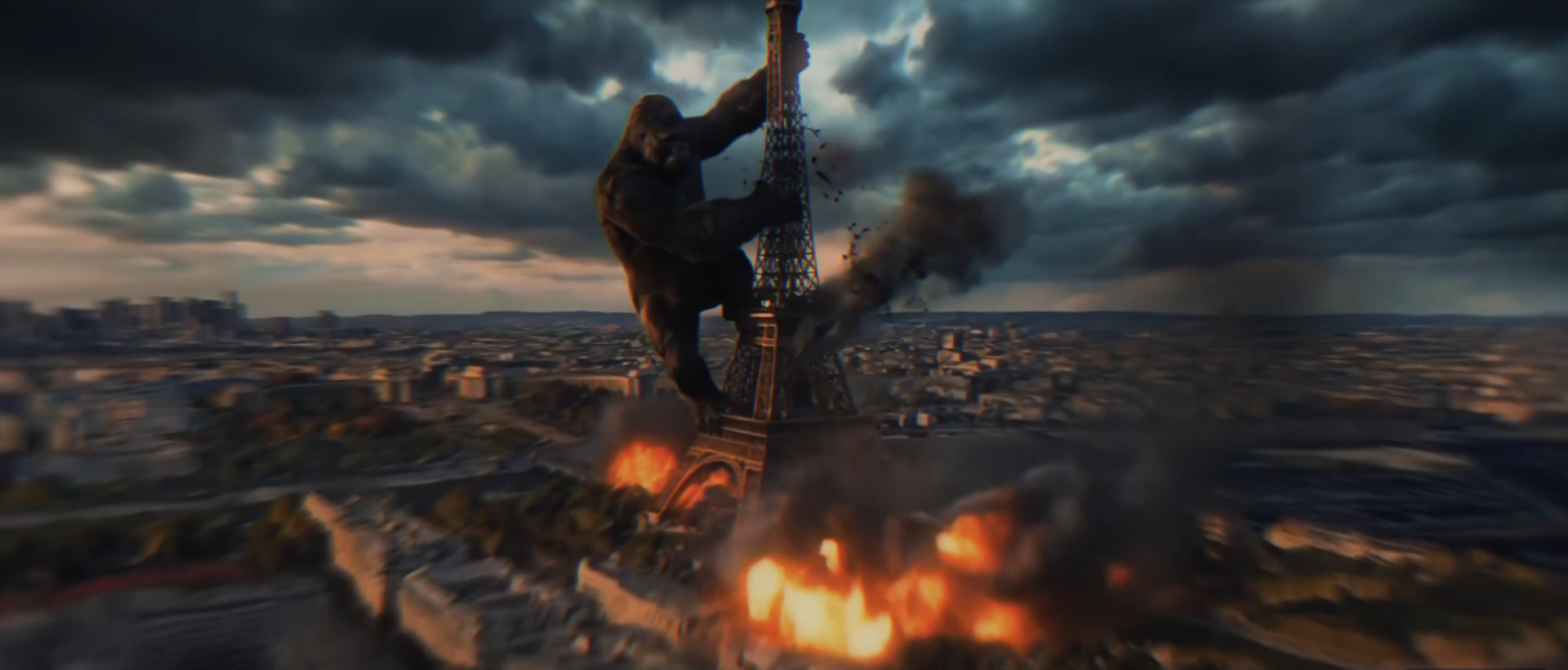
Before we dive into the process, it’s essential to understand what makes this workflow so compelling for creative professionals:
Now let’s examine each stage and how individual tools contribute to this powerful pipeline.
Watch Ľudovít's complete breakdown here: https://www.youtube.com/watch?v=9SPWtevoiEY
At the heart of this workflow is Google Earth Studio — Google’s browser-based animation tool that lets you create dynamic 3D animations from satellite and 3D map data. Think of it as cinematic pre-visualization for the whole planet.
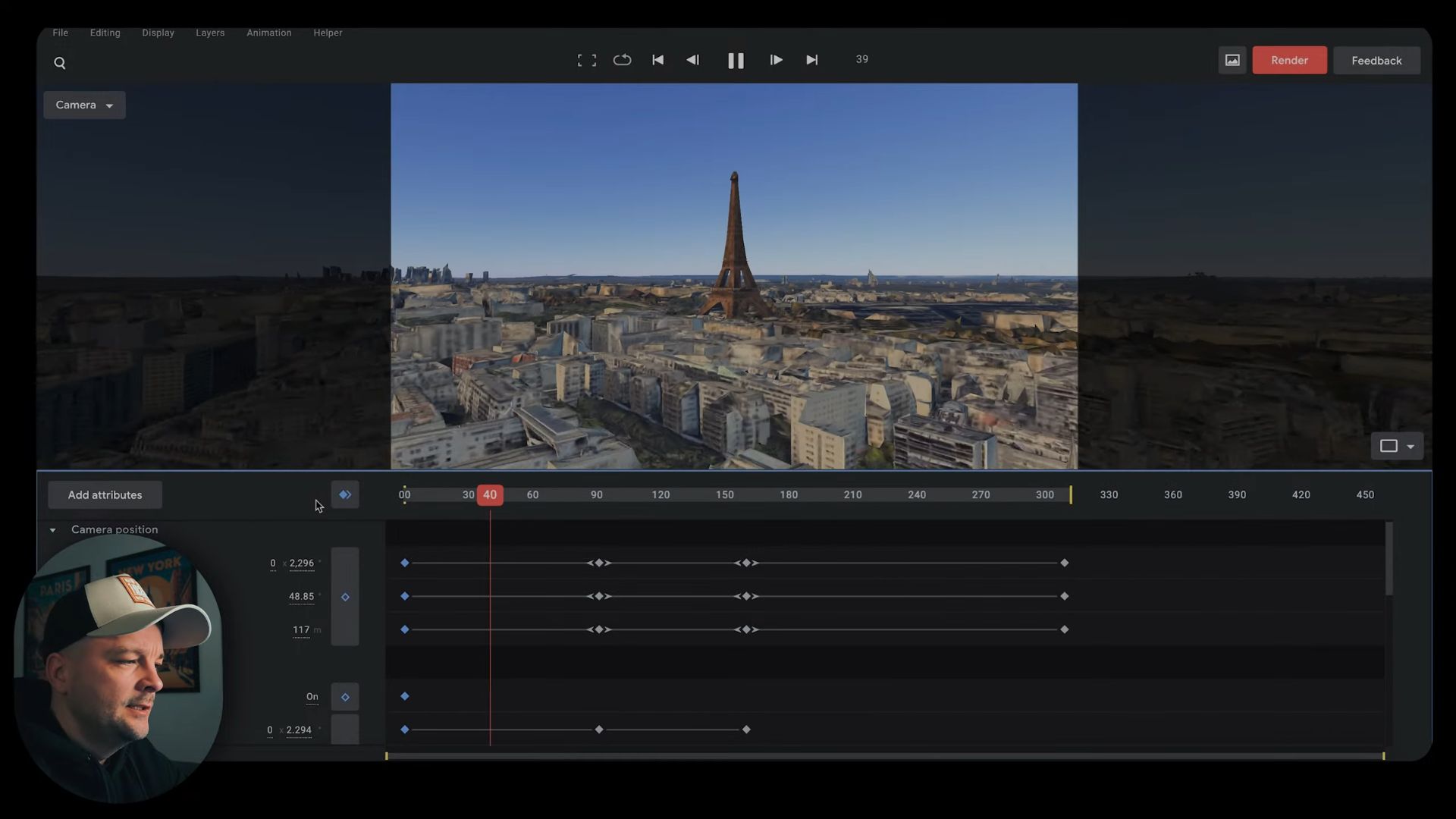
Ľudovít starts by choosing a location — in this case, Paris and the Eiffel Tower. He animates the camera in a way that resembles a blockbuster establishing shot: sweeping into the scene, framing it for impact. Features used here include:
✔︎ Keyframed camera movements (orbit, zoom, tilt)
✔︎ Strategic framing for later retargeting
✔︎ Image sequence export for maximum quality
Pro Tip: Google Earth Studio allows you to animate camera attributes like field of view, rotation, and altitude. it’s this freedom that makes it ideal for cinematic style shots.
Rather than export a simple video file, Ľudovít renders this animation as a 4K image sequence. This is critical for later AI processing because image sequences preserve frame-by-frame detail for better AI conditioning and avoid compression artifacts inherent in compressed video codecs.
Once you’ve got your image sequence from Google Earth Studio, the next phase is where the magic truly happens: Mago Studio.
Mago is a video-to-video AI tool designed to transform footage into stylized, cinematic, and visually coherent outputs — but crucially, without losing motion, depth, or temporal consistency.
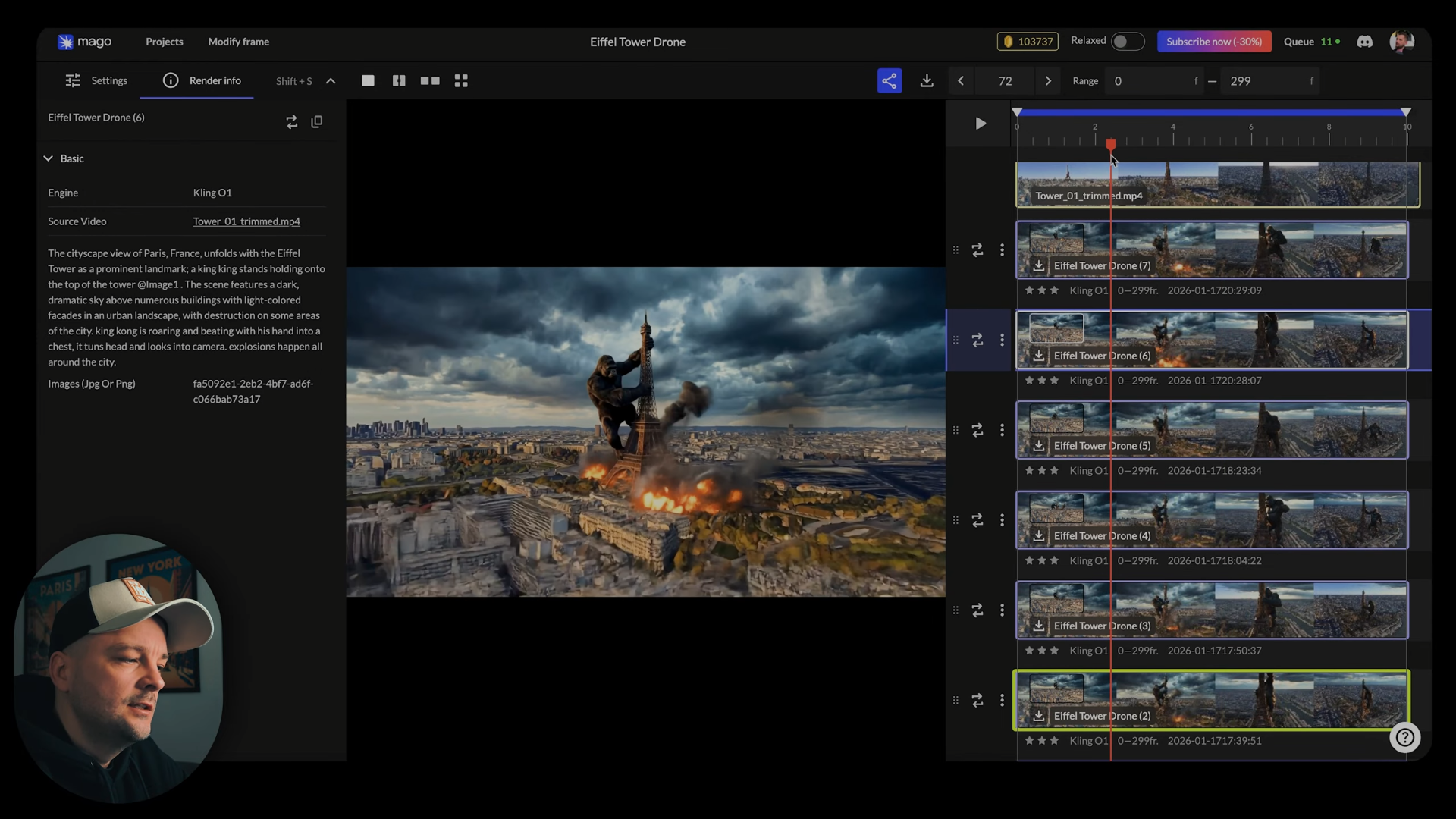
Unlike simple filter-based AI generators, Mago integrates into a professional pipeline by preserving key elements such as camera movement and depth, and giving the creator control over stylization parameters:
This level of control means that rather than waiting to see what AI produces, you can drive the AI toward your intended aesthetic, which is key for cinematic results.
Use NanoBanana Pro and Kling O1 video model to add King Kong as a dynamic character climbing the Eiffel Tower.
Ľudovít’s approach here is methodical:
A game-changer in the workflow is Mago’s ability to produce depth maps as part of its output. Instead of manually rotoscoping the Eiffel Tower from its background, Mago’s depth map allows composite artists to isolate elements intelligently.
This means Mago isn’t just styling the footage randomly, you choose how you want it to understand and transform your video.
With Mago-processed footage now in hand, the workflow shifts to Adobe After Effects; the industry standard for compositing, effects layering, and cinematic finishing.
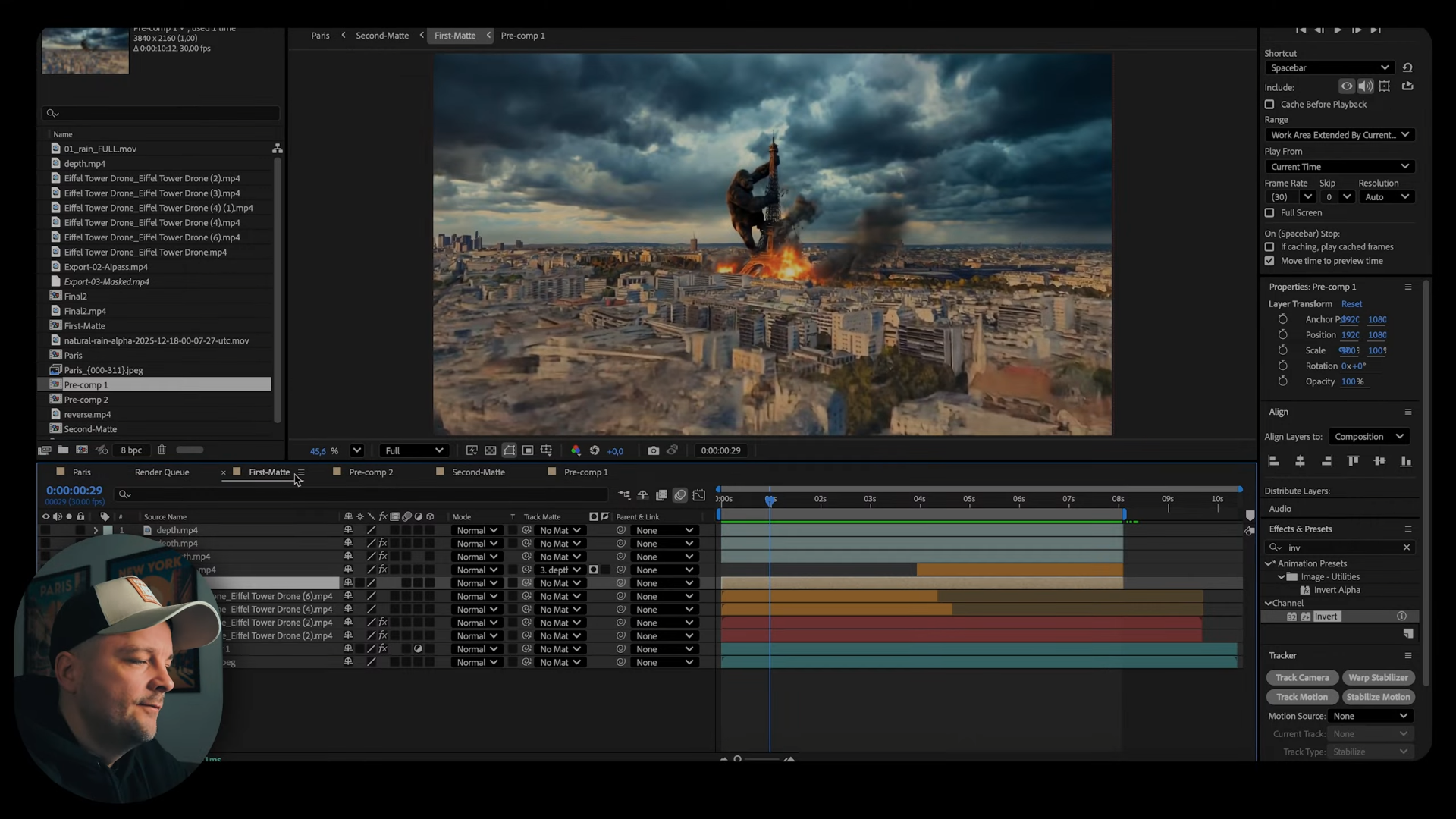
Once the Mago output is complete:
Here’s where traditional craft meets AI:
✔︎ Tracking & Masking: After Effects tracks the footage, allowing VFX elements like explosions or debris to convincingly interact with the scene.
✔︎ Layering & Blending: Multiple layers (including Mago’s stylistic passes) are composited to build depth and complexity.
✔︎ Color Grading & Atmosphere: Cinematic grading, motion blur, haze, and atmosphere (like rain or smoke) are added to unify the look.
✔︎ Sound Design: Although outside the visual tools, sound plays a huge part in perceived realism.
This phase is what turns stylized footage into a fully realized cinematic sequence that feels like it belongs in a feature film.
After Effects isn’t just for compositing stills, it’s where the cinematic polish is applied:
Finally, sound design adds emotional impact, turning the animation from visual proof of concept into compelling storytelling.
Ľudovít’s method showcases a production-ready pipeline blending modern AI with established VFX practice. Here’s what it reveals about the future of creative tech:
Rather than replace artists, AI tools like Mago augment and amplify creative skill, taking on repetitive or time-intensive tasks (like rotoscoping or texturing) while leaving artistic decisions firmly in human hands.
Workflows like this dramatically lower the barrier to high-quality visual effects. What once required large teams and render farms can now be prototyped by an individual creator with a laptop and smart AI tools.
Effective AI workflows don’t replace existing tools, they integrate in the pipeline. In this case, Google Earth Studio, Mago, and After Effects form a holistic pipeline that combines data capture, AI transformation, and cinematic finishing.
The marriage of Google Earth Studio’s cinematic camera animation, Mago’s AI video-to-video transformation, and After Effects’ compositing prowess presents a glimpse into the next era of visual storytelling.
AI alone doesn’t make great visuals — creative intent, structured workflows, and craft do. But when AI tools are used intelligently, they unlock dramatic productivity gains and push the boundaries of what independent creators and small studios can achieve.
Whether you’re building VFX sequences for film, marketing content, or conceptual art, this workflow points the way forward: combine your traditional pipelines with AI where it accelerates quality, not where it compromises control.
Ready to try Mago in your next project? Head over to Mago Studio and unlock the future of video VFX.
Secure a spot on our waitlist.


.svg)